Best Standing Desks 2026 (Top 7): Compared by Price, Size, and Motor Type
After two years of working from home at a standard 29-inch desk, my lower back finally gave me an ultimatum. Physical therapy helped, but the therapist's first recommendation was blunt: stop sitting for 8 hours straight. I started researching standing desks that same week. Six months later, after buying and returning two models before finding the right one, I have a much clearer picture of what actually matters in a sit-stand desk — and what is just marketing noise.
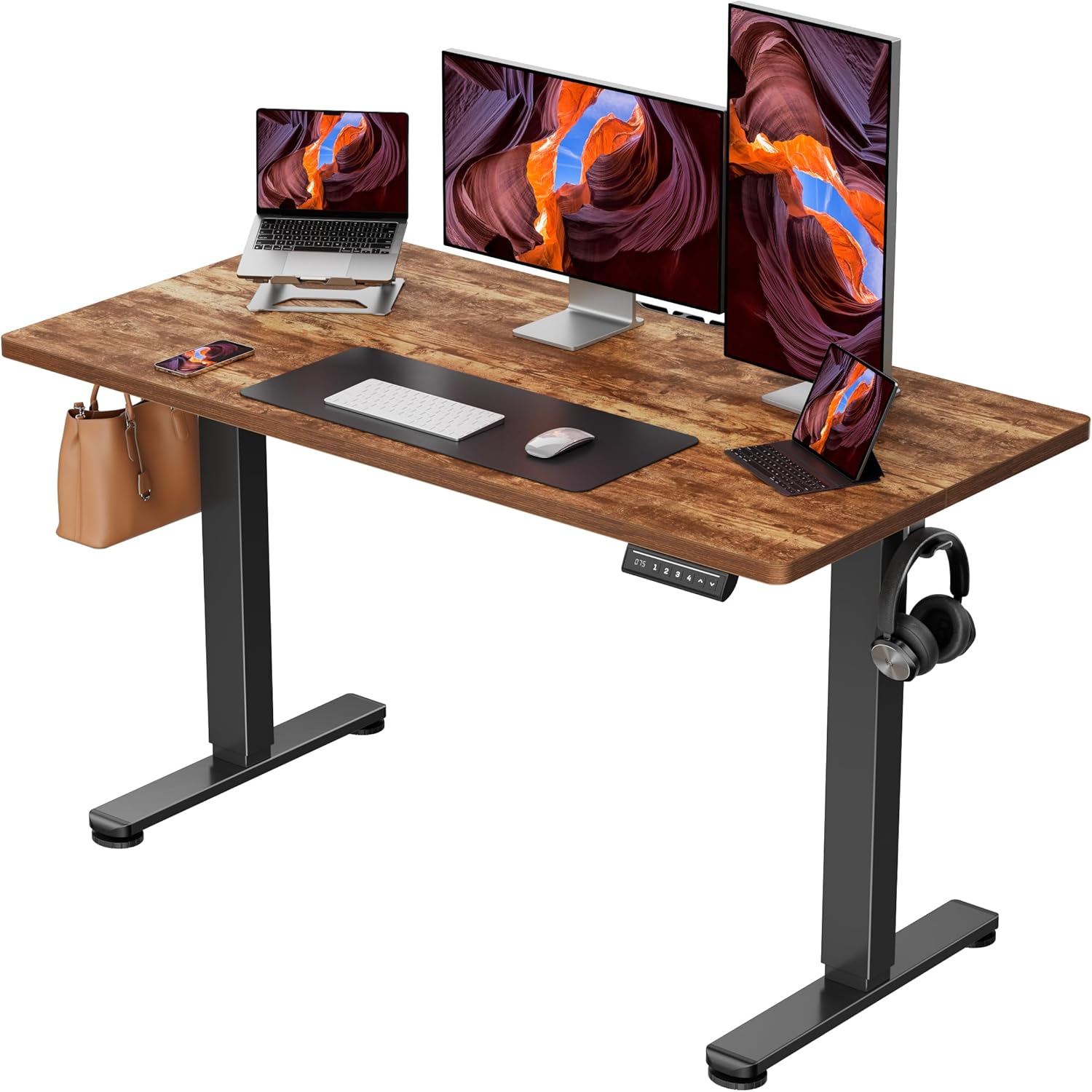
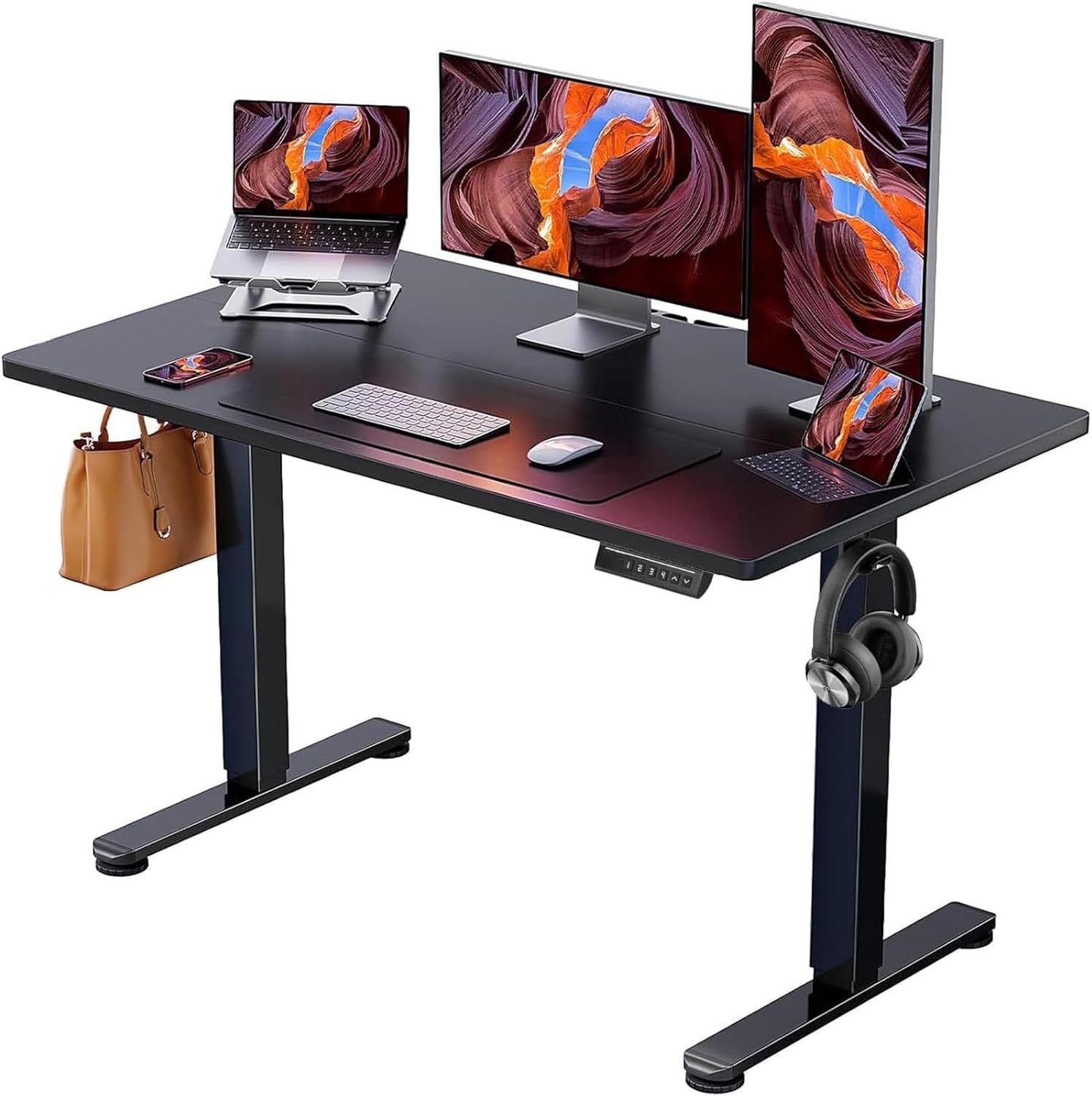
Why Standing Desks Matter (and What They Will Not Fix)
Prolonged sitting is associated with increased risk of cardiovascular disease, type 2 diabetes, and musculoskeletal problems. A standing desk does not eliminate these risks by itself — you cannot simply stand for 8 hours instead of sitting for 8 hours and expect better outcomes. The benefit comes from movement variability: alternating between sitting and standing throughout the day, ideally shifting positions every 30 to 60 minutes.
Standing desks will not fix bad posture, cure back pain on their own, or help you lose significant weight. Research on calorie burn from standing versus sitting shows a difference of roughly 8 to 10 extra calories per hour. Over a workday, that is about 50 extra calories — less than a single apple. The real value is reduced static loading on your spine and hip flexors, and the behavioral nudge to move more frequently.
Types of Standing Desks: What to Know Before You Buy
- Electric Sit-Stand Desk: Full desk with motorized legs. Adjusts height at the push of a button. Most popular category. Price range: $300 - $2,000+.
- Manual Crank Desk: Hand-cranked height adjustment. Cheaper but slower and less convenient. Price range: $200 - $500.
- Desktop Converter (Riser): Sits on top of your existing desk. Lifts your monitor and keyboard to standing height. Price range: $150 - $500. No assembly required, but takes up desk space.
- Fixed Standing Desk: Non-adjustable standing-height desk. Only useful if you plan to stand exclusively and use a drafting chair for sitting breaks. Least practical for most people.
For most home office setups, an electric sit-stand desk is the right choice. The convenience of pressing a button to switch between sitting and standing height removes the friction that kills the habit. If your budget is tight or you rent and do not want to deal with furniture logistics, a desktop converter works as a temporary solution.
Key Specs That Actually Matter
Standing desk marketing throws a lot of numbers at you. Here are the ones worth paying attention to:
Height Range: The desk needs to go low enough for comfortable sitting (around 25 to 27 inches for most people) and high enough for standing (42 to 48 inches, depending on your height). If you are taller than 6'2" or shorter than 5'2", check the height range carefully. Some budget desks top out at 45 inches, which is too low for taller users.
Motor Type: Single-motor desks use one motor connected to both legs via a shared drive shaft. Dual-motor desks have an independent motor in each leg. Dual-motor setups are faster, handle heavier loads more evenly, and tend to be more stable at standing height. Most desks above $400 use dual motors.
Weight Capacity: Budget desks typically support 150 to 200 lbs. Mid-range options handle 250 to 300 lbs. Heavy-duty frames go up to 350 to 400 lbs. If you run a multi-monitor setup with monitor arms, a desktop computer, speakers, and various peripherals, the weight adds up fast. A 27-inch monitor arm with two monitors, a laptop, and desk accessories can easily weigh 50 to 60 lbs.
Stability at Standing Height: This is the spec most brands do not publish. A desk that wobbles at 42+ inches is distracting and unusable for tasks requiring fine motor control. Stability depends on frame construction, leg thickness, crossbar design, and overall build quality. Heavier frames tend to be more stable.
Best Standing Desks Compared (2026)
| Desk | Desktop Size | Height Range | Motor | Weight Capacity | Speed | Price |
|---|---|---|---|---|---|---|
| Uplift V2 | 42" - 80" | 25.3" - 50.9" | Dual | 355 lbs | 1.5"/sec | $599 - $1,900+ |
| Flexispot E7 Pro | 48" - 80" | 22.8" - 48.4" | Dual | 310 lbs | 1.5"/sec | $500 - $800 |
| Fully Jarvis | 30"x24" - 72"x30" | 25.5" - 51.1" | Dual | 350 lbs | 1.5"/sec | $559 - $1,200+ |
| Secretlab Magnus Pro | 59" or 69.7" | 25.6" - 49.2" | Dual | 265 lbs | 1.5"/sec | $799 - $950 |
| IKEA BEKANT | 63"x31.5" | 22" - 48" | Dual | 154 lbs | 1.0"/sec | $549 |
| Vari Electric | 48" - 60" | 25" - 50.5" | Dual | 200 lbs | 1.5"/sec | $695 - $895 |
| SHW Electric (Budget) | 48" - 55" | 28" - 46" | Single | 110 lbs | 1.0"/sec | $180 - $230 |
| Fezibo Frame + Top | 48" - 63" | 27.5" - 46" | Single | 154 lbs | 1.0"/sec | $200 - $300 |
Budget Tier (Under $350): Functional but Compromised
The SHW Electric and Fezibo desks dominate Amazon's budget category. They work — the motor raises and lowers the desk, and the desktop holds your stuff. But the compromises are noticeable. Single motors are slower and louder. Weight capacities are significantly lower. Stability at standing height is mediocre; you will notice wobble during typing, especially if the desk is fully extended. Height ranges are narrower, which can be a problem for taller users. Desktop materials at this price point tend to be thinner particle board that can sag over time under heavy loads.
These desks make sense if you are testing whether a standing desk works for your workflow before committing to a more expensive model, or if you are furnishing a temporary space.
Mid-Range Tier ($400 - $700): The Sweet Spot
The Flexispot E7 Pro is my pick for best value in this range. Dual motors, 310 lb weight capacity, a height range that goes as low as 22.8 inches (important if you are shorter or use a lower chair), and solid build quality. The programmable memory presets let you save your sitting and standing heights for one-touch adjustment. The desktop options include bamboo, which is durable and visually appealing. At around $500 to $600 depending on configuration, it offers roughly 80% of the performance of the Uplift V2 at 60% of the price.
The Fully Jarvis also falls in this range at its base configuration and has been a long-time favorite in the remote work community. Build quality is excellent, and Fully offers a wider variety of desktop materials (whiteboard, reclaimed wood, hardwood) than most competitors. The widest Jarvis configuration gets expensive quickly, but the 30x48 with laminate top sits comfortably around $600.
Premium Tier ($700+): Best in Class
The Uplift V2 is the most commonly recommended standing desk in ergonomics forums for good reason. The 355 lb capacity handles any setup. The height range (25.3 to 50.9 inches) accommodates users from about 5'0" to 6'8". Stability at standing height is among the best in the category, partly thanks to the optional crossbar (included with the commercial version, add-on for the home version). Cable management, grommets, and accessory options are extensive. The configurator on Uplift's website lets you customize desktop size, material, frame color, and add-ons before ordering.
The Secretlab Magnus Pro deserves a mention for users who want premium build quality with integrated cable management. The full-metal desktop is unique in this category — it acts as a giant magnetic surface, so you can use magnetic accessories for cable routing and desk organization. It is heavy (the 69.7-inch version weighs over 100 lbs), but that weight contributes to excellent stability. The lower weight capacity (265 lbs) is the main tradeoff compared to the Uplift.
Desktop Size: How to Choose
Measure your current setup before ordering. A single-monitor workstation with a keyboard and mouse fits comfortably on a 48x24-inch desktop. Dual monitors or an ultrawide push you to 55 to 60 inches in width. If you also use your desk for writing, drawing, or other physical tasks, 30 inches of depth is noticeably more comfortable than 24 inches.
- 48" x 24": Minimum for single monitor + laptop side-by-side
- 55" x 28": Comfortable for dual monitors + peripherals
- 60" x 30": Ideal for dual monitors + extra workspace
- 72" x 30": Best for multi-monitor setups or shared workstations
Depth matters more than most people expect. 24" depth works, but 28-30" gives you room to push your monitor back to a healthier viewing distance.
Assembly and Setup Tips
Every standing desk requires assembly. Budget models take 30 to 60 minutes. Premium models like the Uplift V2 can take 60 to 90 minutes due to more hardware and cable management components. Two people make the process significantly easier, especially when flipping the assembled frame upright.
Practical tips from assembling three different desks: pre-sort all hardware before starting. Read the entire manual once before touching a single screw. Use a power drill instead of the included hex wrench — your wrists will thank you. Level the desk after assembly using the adjustable feet. If your floor is uneven, an anti-fatigue mat can compensate slightly but will not fix significant wobble caused by an unlevel base.
Standing Desk Accessories Worth Buying
An anti-fatigue mat is the most important accessory. Standing on a hard floor for extended periods is uncomfortable and hard on your joints. Brands like Topo by Ergodriven (around $100) and Sky Solutions (around $40) both work well. The Topo has a terrain-like surface that encourages subtle foot movement.
A monitor arm frees up desktop real estate and lets you position your screen at the correct height regardless of desk position. Ergotron and AmazonBasics are the standard recommendations. A cable management tray (most desks include one or offer it as an add-on) keeps power strips and cables off the floor during height transitions.
Frequently Asked Questions
How long should I stand versus sit during the day?
Research suggests a ratio of roughly 1:1 to 1:2 (standing to sitting), broken into intervals. A common recommendation is 30 minutes standing, then 30 to 60 minutes sitting, repeated throughout the day. Start with shorter standing intervals (15 to 20 minutes) and build up. Forcing yourself to stand for 4 hours straight is counterproductive.
Do standing desks help with back pain?
They can, but they are not a cure. If your back pain stems from prolonged static sitting, alternating between sitting and standing reduces sustained spinal compression and engages different muscle groups. However, standing desks will not fix pain caused by underlying conditions like herniated discs or poor core strength. Combine a standing desk with movement breaks, stretching, and proper chair ergonomics for the sitting portions.
Are manual crank desks worth considering?
Only if your budget absolutely cannot accommodate an electric model. The friction of hand-cranking (40 to 60 full turns to go from sitting to standing height) means you will adjust the desk less often, which defeats the purpose. Electric desks have dropped significantly in price — the SHW at $180 removes most of the cost argument for manual crank models.
Will a standing desk wobble at standing height?
Some amount of movement at full extension is normal for any telescoping frame. The question is whether it interferes with your work. Budget single-motor desks wobble noticeably during typing. Mid-range dual-motor desks with crossbars are stable enough that wobble is not an issue during normal use. If stability is your top priority, look at the Uplift V2 with crossbar or the Secretlab Magnus Pro.
What about standing desk converters (risers)?
Converters are a reasonable entry point if you like your current desk or cannot replace it. The VariDesk Pro Plus and FlexiSpot converters are popular choices. Downsides: they reduce usable desk surface, add visual clutter, and the keyboard tray position can be ergonomically awkward. If you plan to use a standing desk long-term, a dedicated electric sit-stand desk is a better investment.
How much should I spend on a standing desk?
For a desk you will use daily for years, $400 to $700 buys excellent quality and durability. Below $300, you are accepting meaningful tradeoffs in stability, speed, capacity, and longevity. Above $800, you are paying for premium materials and brand prestige that may or may not matter to you. The Flexispot E7 Pro at around $500 is where price and quality intersect most favorably.
As an Amazon Associate, I earn from qualifying purchases. This comes at no additional cost to you.


댓글
댓글 쓰기